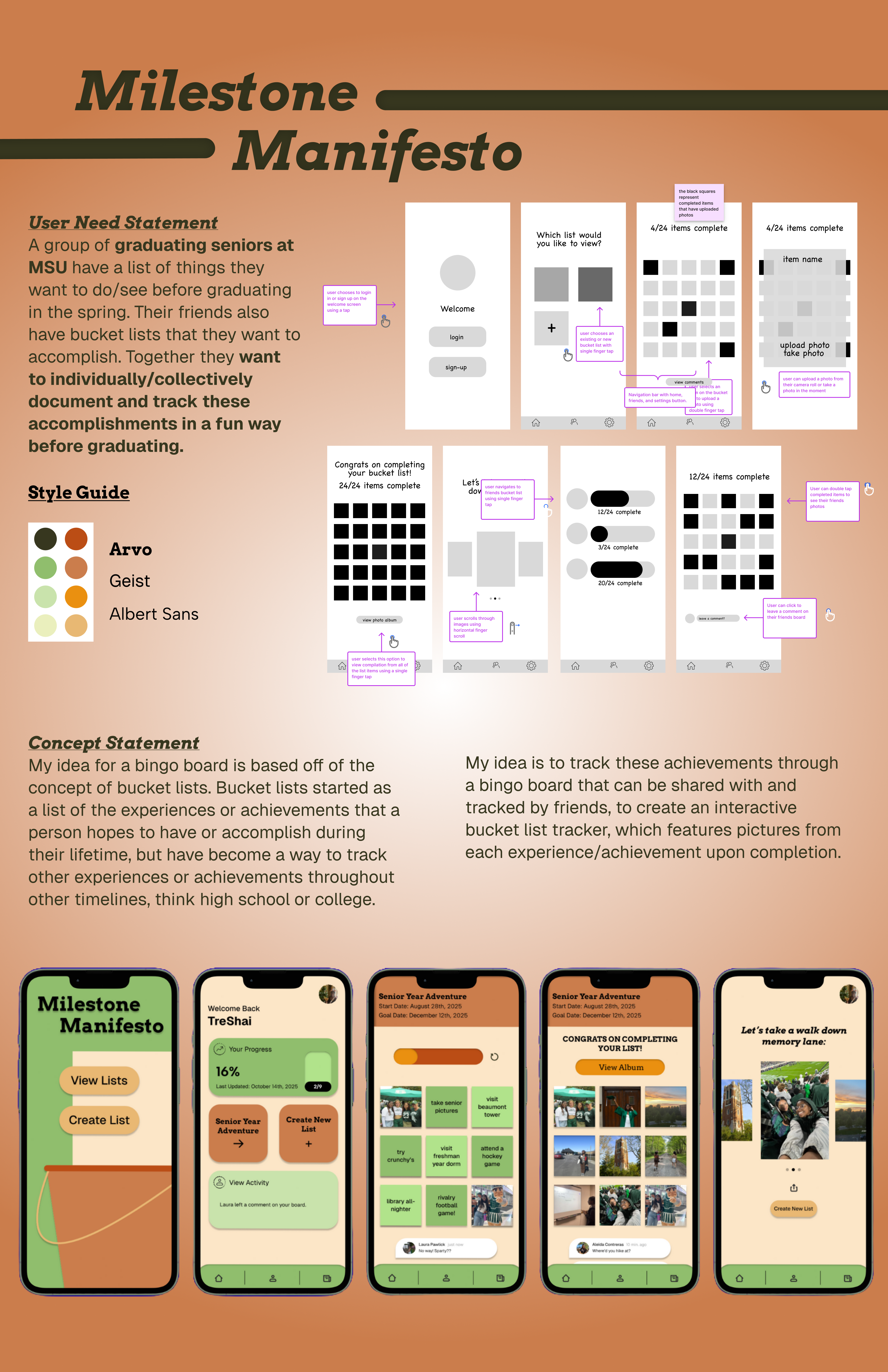
Milestone Manifesto
Overview
I was tasked with using the game “BINGO” as a framework for designing an app to be used by one or more players on a smartphone device.
Brainstorming
During the brainstorming phase, I explored different ways I could complete the task of designing an app based of of the game "BINGO". This included questions like:
- Content ideas: What could the game of Bingo be about? What are possible goals?
- Use ideas: When and where could Bingo be played? What are the “situations”?
- Audience: Who could be the audience? Are there specific groups that would benefit from a game?
- Visuals: What are the traditional and alternative interfaces for Bingo cards?
I tracked my ideas and answers in a running document that I could reference throughout the project. Here are a few ideas I had at the beginning of my brainstorming phase:
- Create your own bucket list, a shared one with friends, or use a pre made one.
- Select a timeline in which to complete this list (1 year, 4 years, etc).
- Example: for freshman year of college, a group of friends create a list of things they want to complete before the end of their freshman year, they set the timeline for october-may, share it amongst their friend group, and add pictures from each completed item.
- Example: a group of friends graduate and are going all over the country for their post grad plans. each person creates a list of things they want to accomplish in this new phase of life, they all add their boards to a group together, as they upload photos when completing items, their friends get notified.
After identifying an app concept, I created a concept statement using my ideas from brainstorming. The concept statement was as follows:
"My idea for a bingo board is based off of the concept of bucket lists. Bucket lists started as a list of the experiences or achievements that a person hopes to accomplish during their lifetime, but have become a way to track other experiences or achievements throughout other timelines, suxh as high school or college. My idea is to track these achievements through a bingo board that can be shared with and tracked by friends, to create an interactive bucket list tracker, which features pictures from each experience/achievement upon completion."
Research
My first step in the research process was creating a user statement, based on insights from brainstorming and informal interviews with college students who had previously created bucket lists to understand what they would want from a bucket list app. I chose to focus on college students as the target audience because I could relate to their perspective. Using these insights, I finalized the user statement:
"A group of graduating seniors at MSU have a list of things they want to do/see before graduating in the spring. Their friends also have bucket lists that they want to accomplish. Together they want to individually/collectively document and track these accomplishments in a fun way before graduating."
A member of our team also interviewed a past study abroad participant on the same questions from the survey. Below are some of the results from the survey and interview.
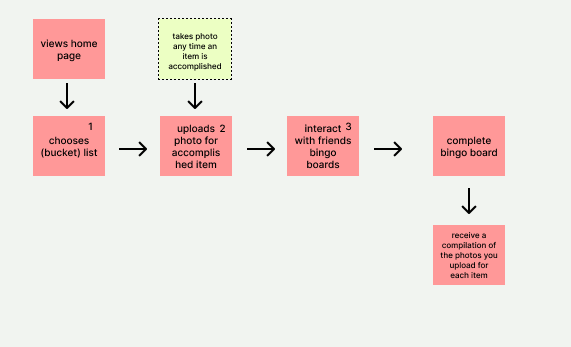
After creating the user statement, I created a user task flow to visualize each step users would take to complete key tasks within the app.
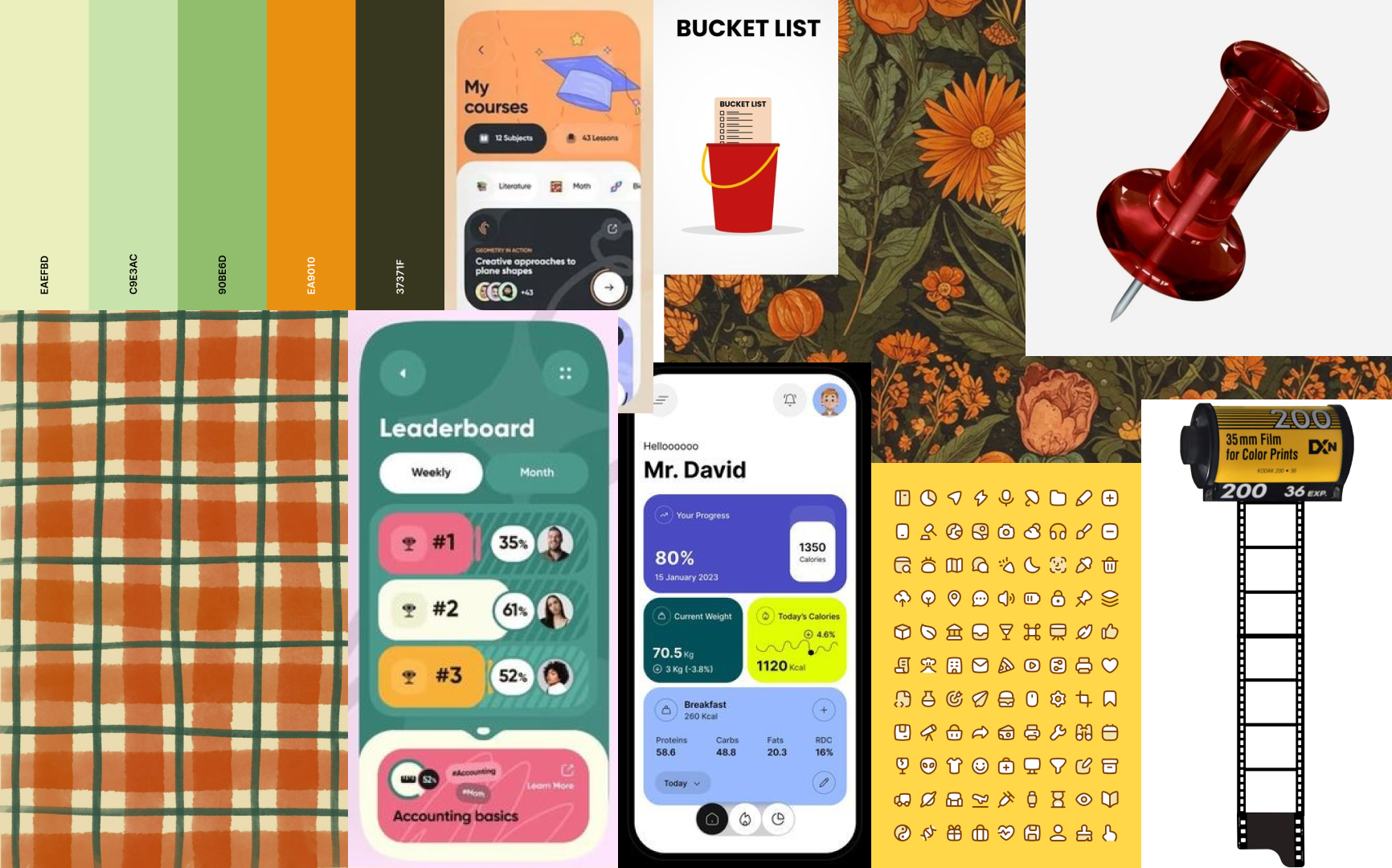
After finishing the task flow, I created a mood board to set the overall look and feel of the app. I gathered images and visual inspiration from across the web and pulled them together into a visual theme. From there, I chose a color palette that matched the app's vibe and supported a clear, enjoyable user experience.
Wireframing
Before starting the wireframe process, I made sketches the user task flow to visualize how users would navigate the app and define the key actions.
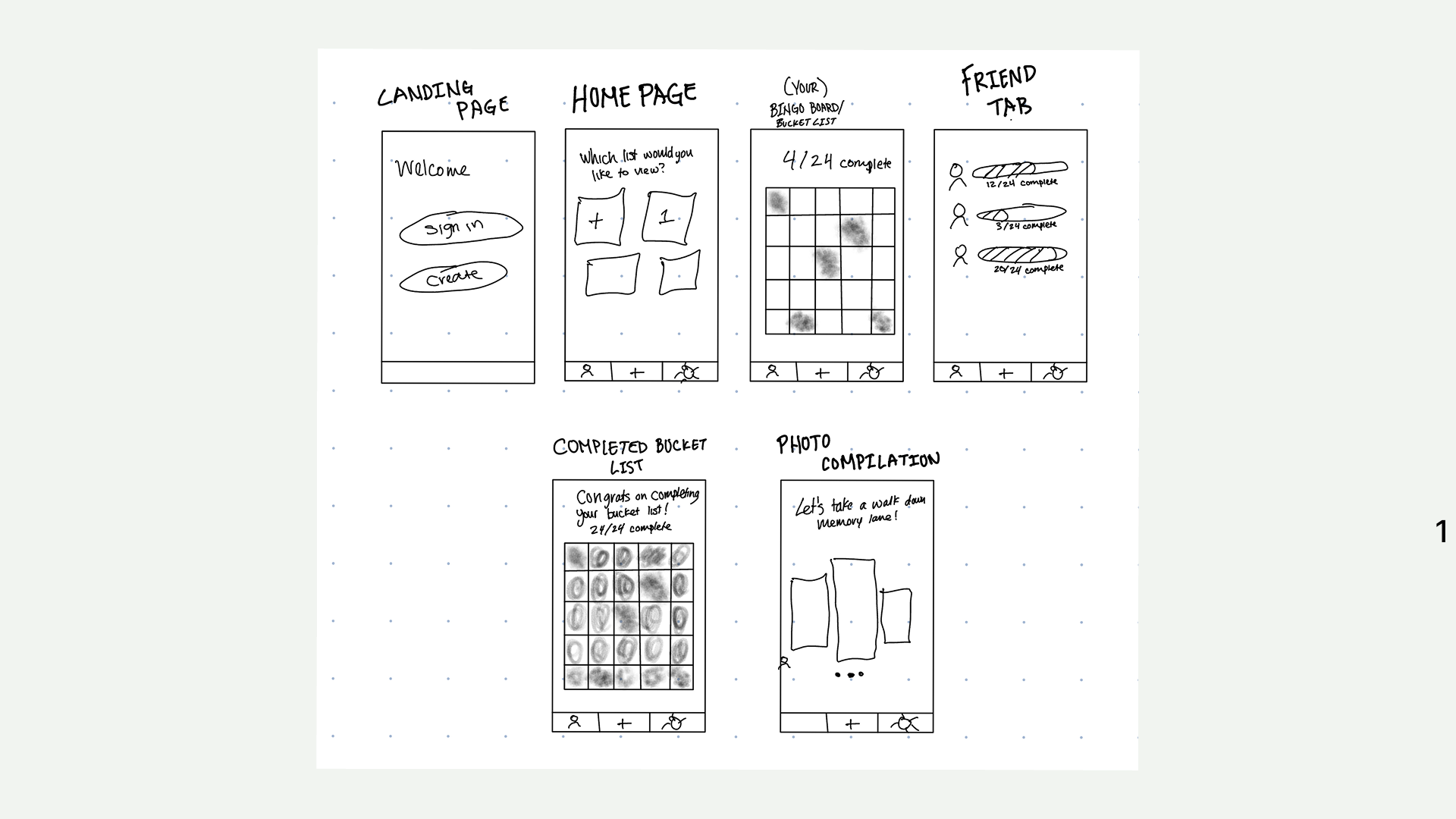
Next, I created a medium fidelity wireframe based on the sketches I made.
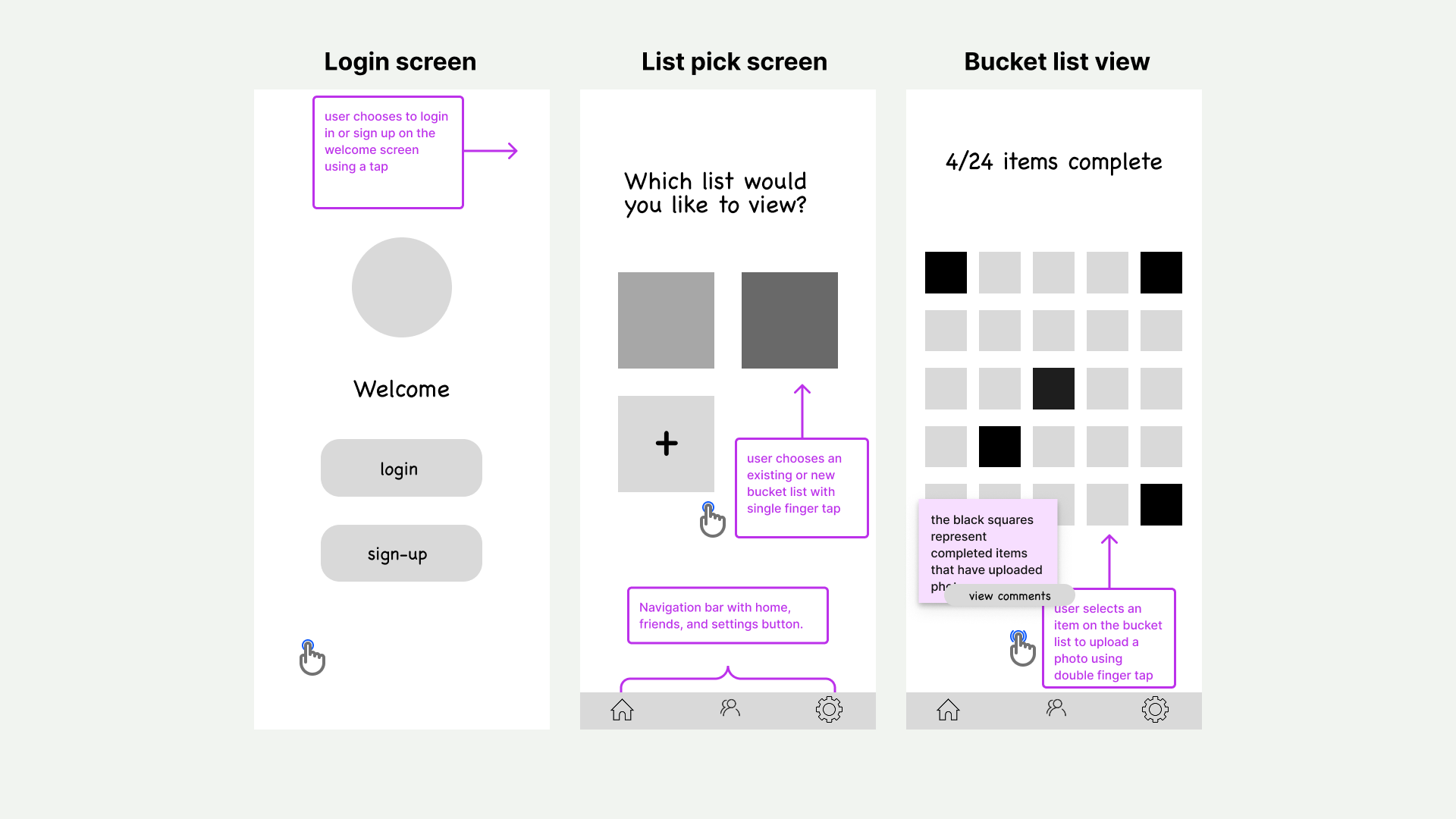
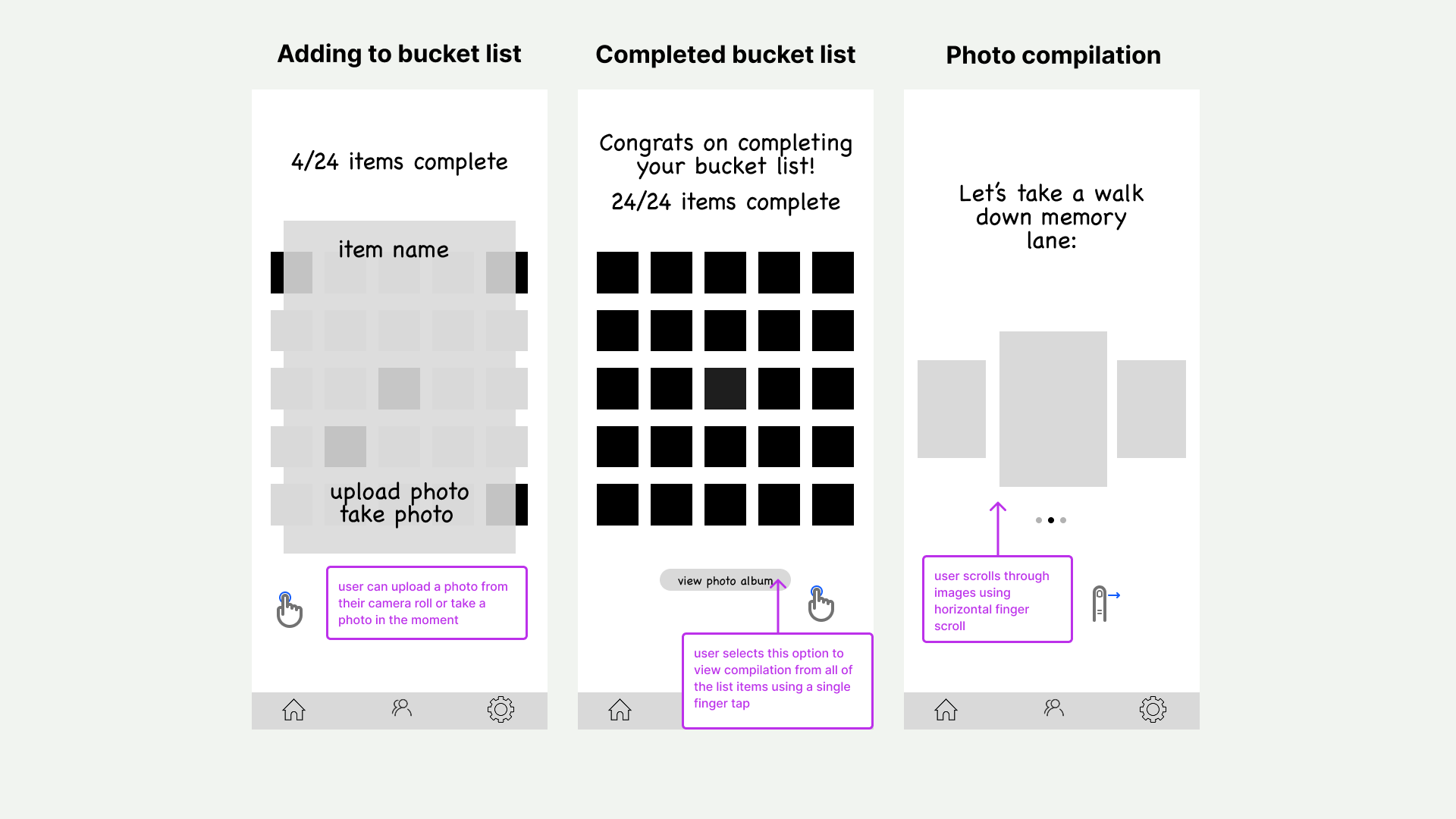
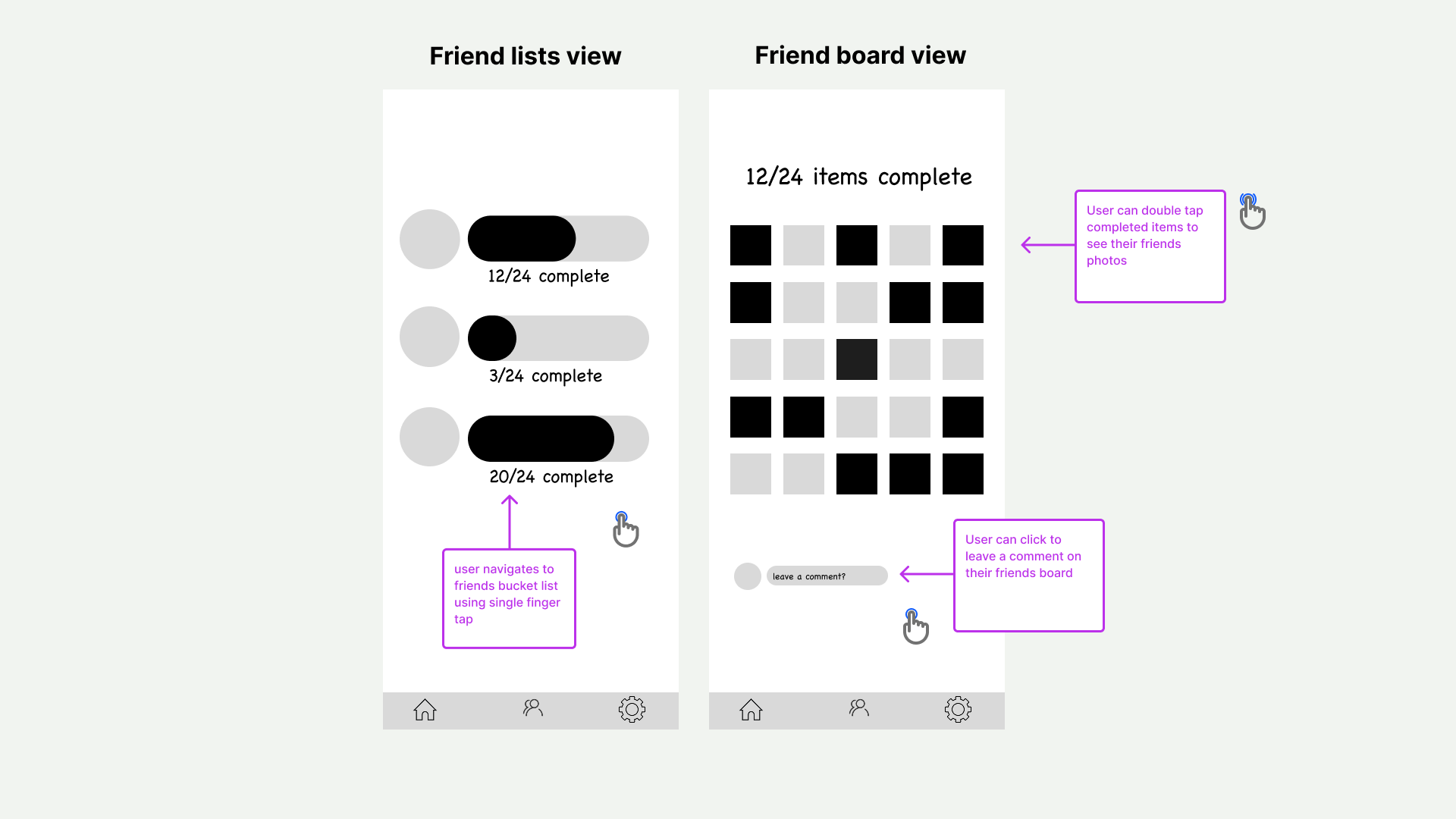
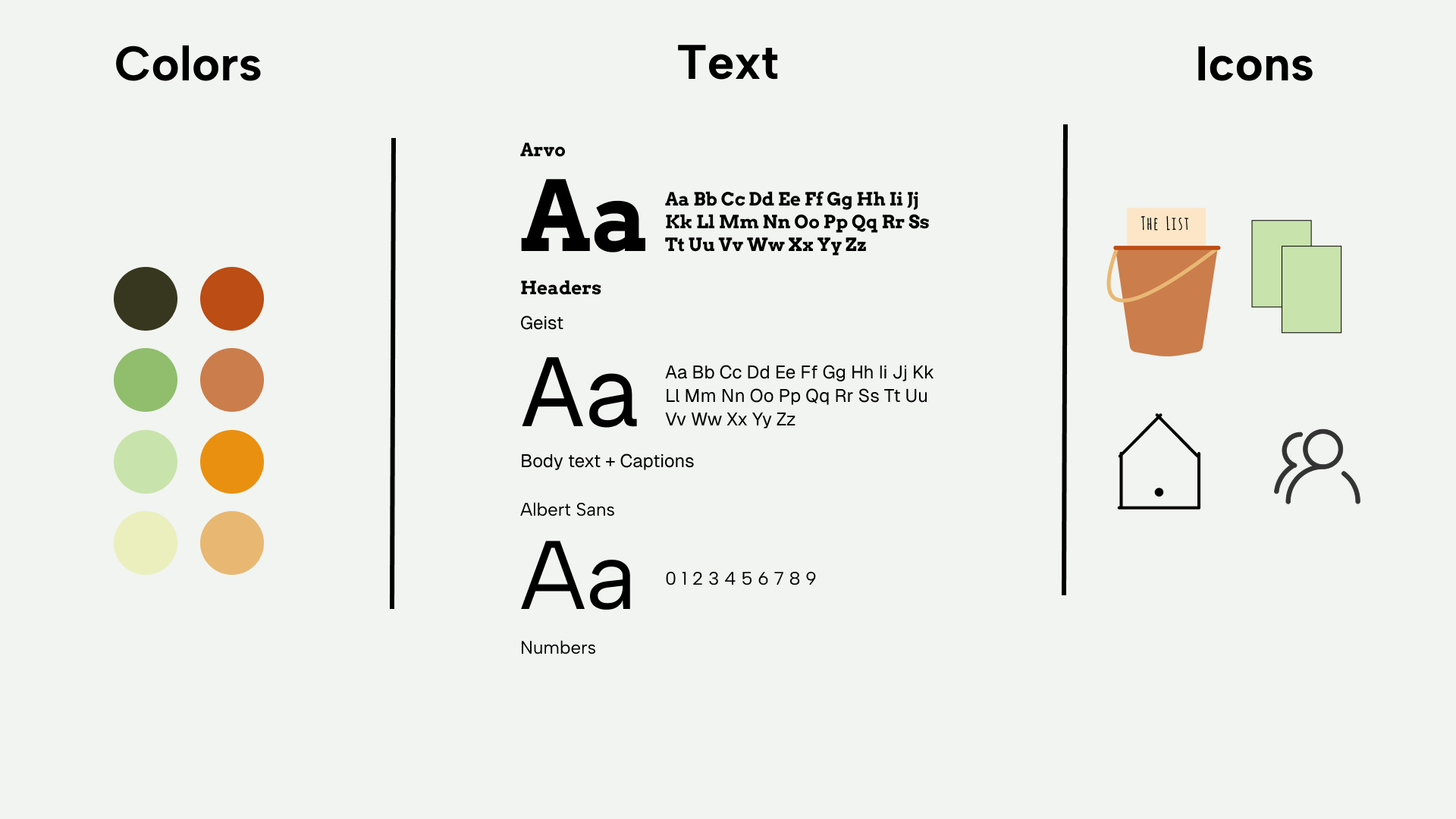
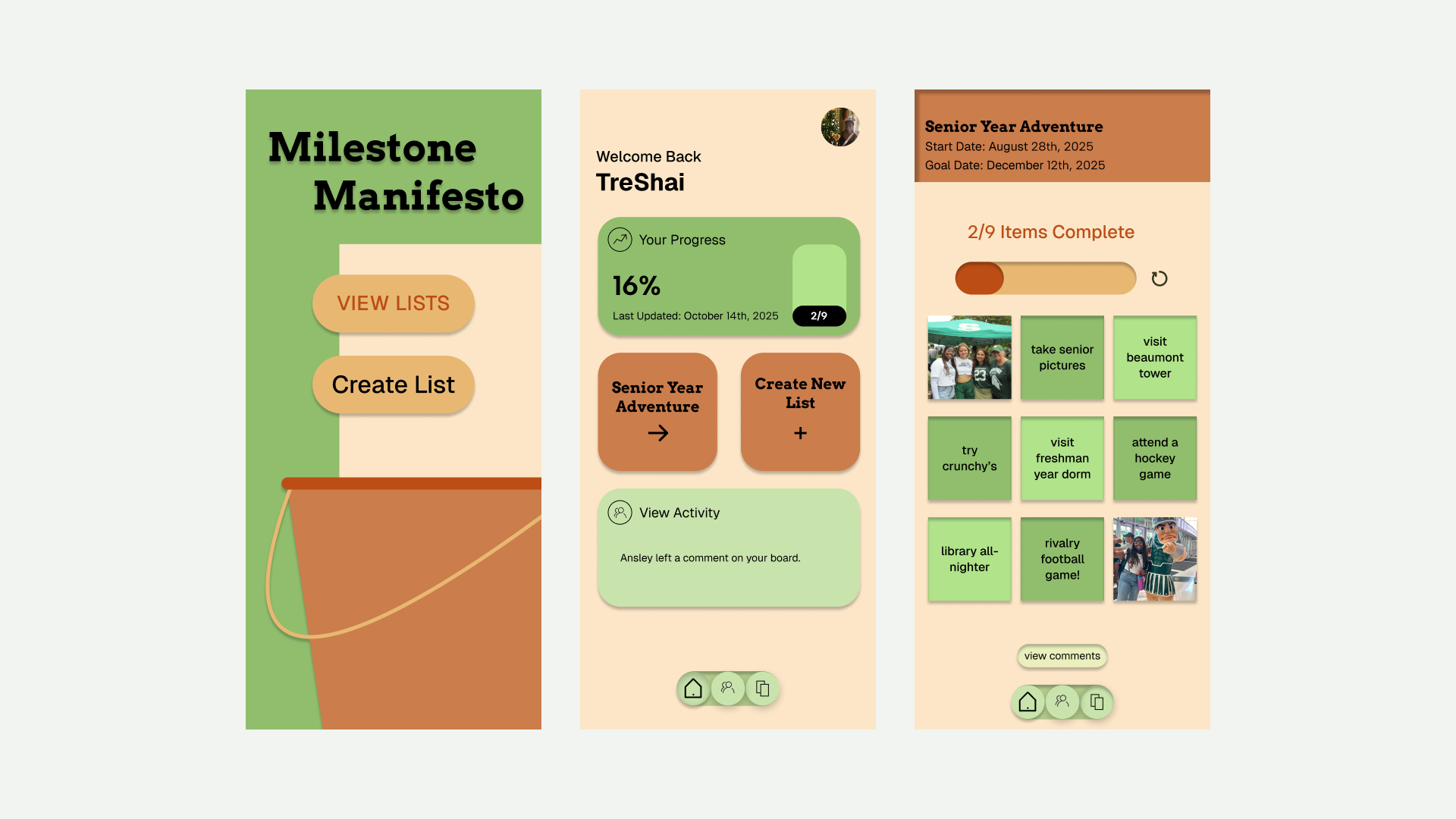
After, I created a design system including typefaces, colors, and icons, and applied it to 3 keyframes from my wireframe.
Prototyping
Finally, I prototyped my interactive bingo game by building on my medium fidelity wireframe and key frames. I added animations and transitions, following the user flow I created.
Here's a video of my working prototype:
Results
Along with the prototype, I created a poster to summarize my design process. This was such a fun project and I was able to to enhance my UX design and figma skills, while creating a creative app concept and carrying out the design process.